

Most projects keep their secrets in an .env file before they keep them anywhere
else. Valt0 1.1.0 adds a command that moves them into a vault in one step:
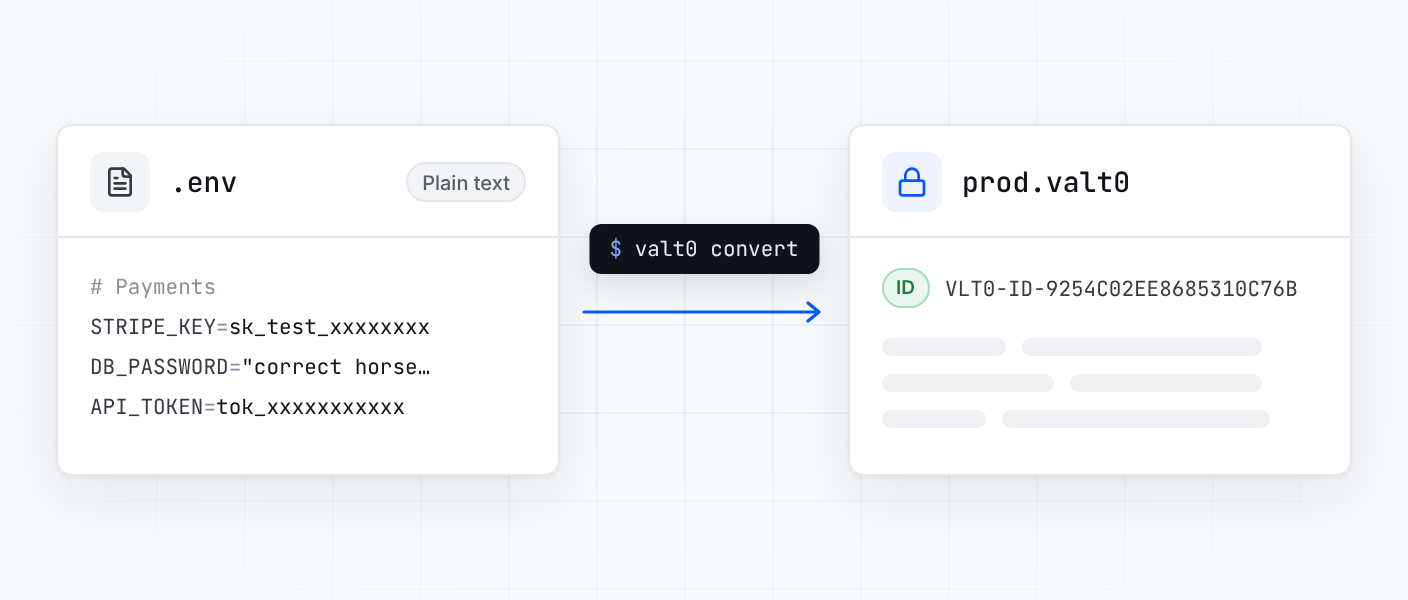
valt0 convert reads the file and makes a new vault holding every variable in it.
Why move off an .env file
An .env file is plain text. Anyone who can read the file can read every secret in
it, so it is kept out of git and handed around some other way: a message to a teammate, a note
in a password manager, a copy on a shared drive. Each of those is one more place the values sit
in the clear.
A vault holds the same secrets, encrypted. It can be committed next to your code and copied wherever it is needed, because without its key it cannot be read. What you keep safe is one key, not a file.
One command
Take an .env file like this one:
# Payments
STRIPE_KEY=sk_test_xxxxxxxxxxxxxxxx

DB_PASSWORD="correct horse battery staple"
export API_TOKEN=tok_xxxxxxxxxxxx
Then run:
valt0 convert .env --output prod
Valt0 reads the file and writes prod.valt0 in the current folder, with each
variable stored as a secret under its own name: prod:STRIPE_KEY,
prod:DB_PASSWORD and prod:API_TOKEN. The comment and the blank line
are skipped, and so is the export in front of the last name.
The vault is made exactly the way valt0 init makes one, so it gets an id and a key
of its own, and the key is printed once. Copy it into your password manager before you close
the terminal, or pass --clip to copy it to the clipboard instead of printing it.
To see what went in, list the names. Valt0 asks for the key first:
valt0 list prodThe .env file is still there
valt0 convert only reads the file. It does not change it or delete it, so once the
vault is made your secrets exist twice: encrypted in prod.valt0, and in plain text
in .env. When you have checked the vault, delete the .env file, and
any copies of it you sent around.
One vault per environment
Many projects keep one file per environment. Convert each into a vault of its own:
valt0 convert .env.development --output dev
valt0 convert .env.production --output prod
Each vault gets its own key, so the people working on the code can have the dev
key without being able to open prod. That is the setup the
Introduction recommends.
From here the vault is like any other: commit it, give its key to the people who need it, and read the secrets from your application with a client. Every flag is on the CLI reference.