

Valt0 was built around seven principles, all with one aim: to let developers store their application's secrets easily and safely.
Developers spend their days building applications, and managing secrets and credentials should not take time away from that. They should be free to focus on what they are making. That is why Valt0 is designed to be quick to set up, easy to use, and secure from day one.
1. Quick to set up
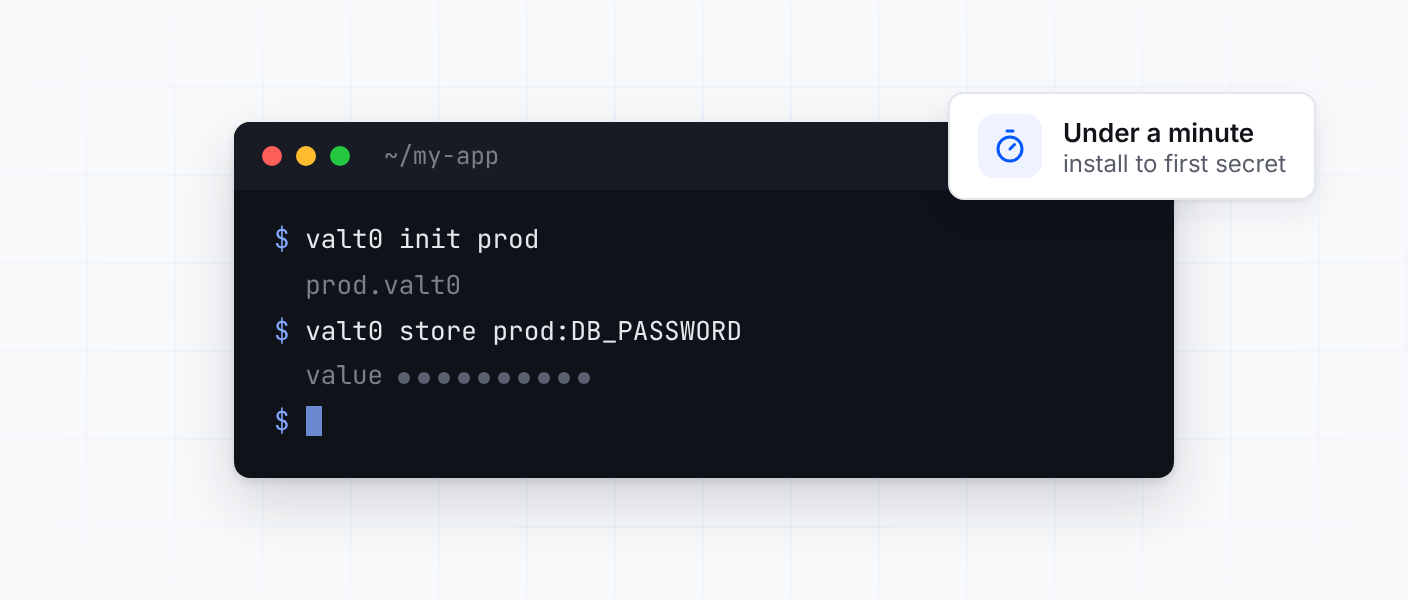
Valt0 is easy to install and set up. In less than a minute you can have your first vault created and a secret stored in it.
2. Simple to use from your code
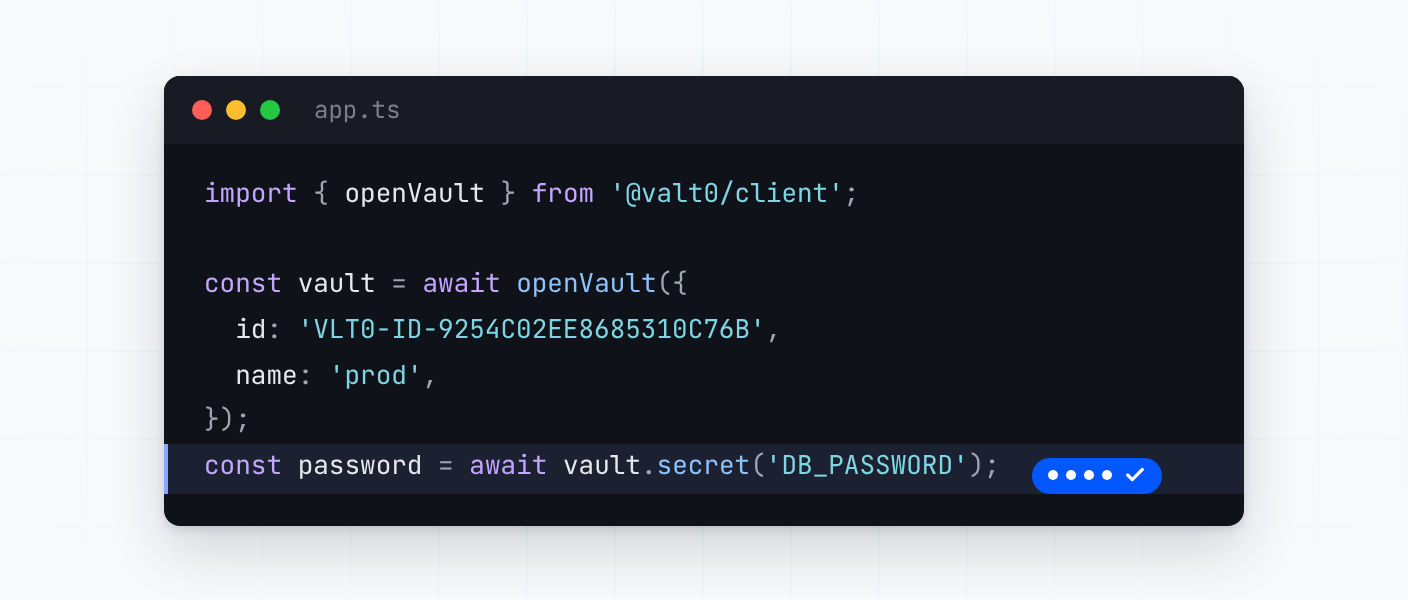
Using Valt0 from your application should be trivial. A client library opens a vault and gives your code the secrets it asks for, in a few lines.
We are continuously adding new languages. Check the clients page for your language of choice, or submit a request.
3. Vaults are safe to share
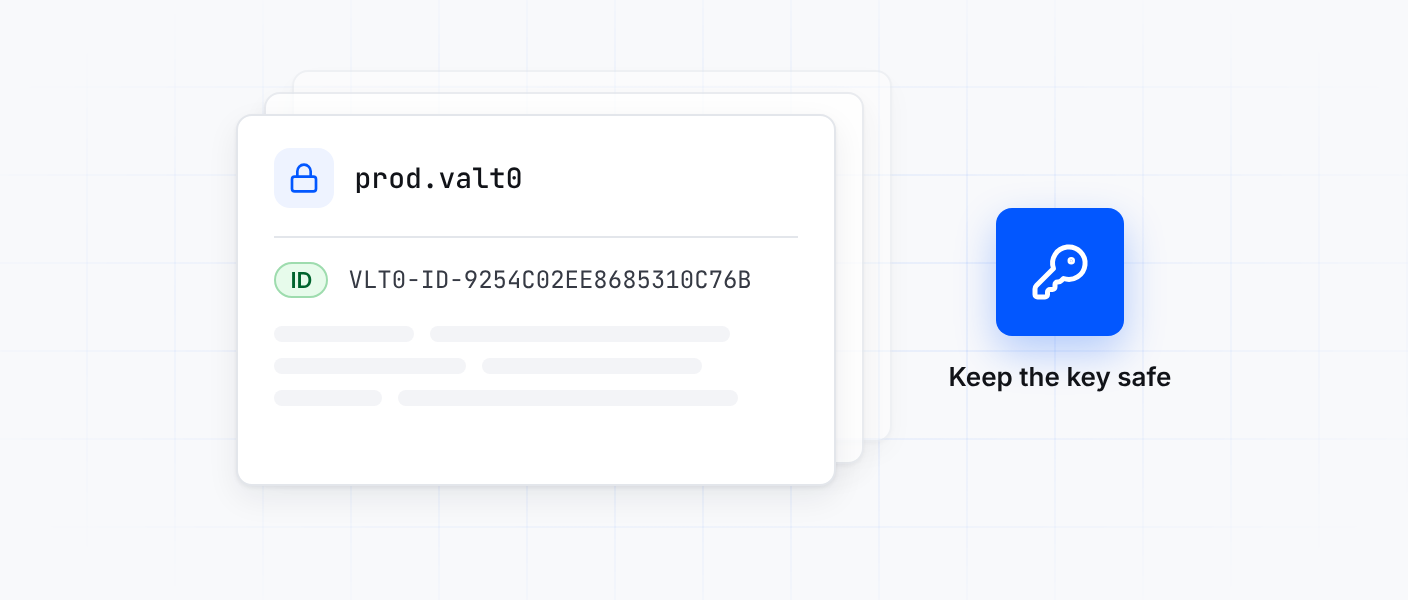
Every vault is encrypted with AES-GCM using 256-bit keys. Nothing in a vault can be read without its key: not the secrets, not their names, not even how many there are.
That is why a vault can be committed to your repository, copied and shared without worrying about who sees the file. The one thing you have to keep safe is the key.
4. Close to your app
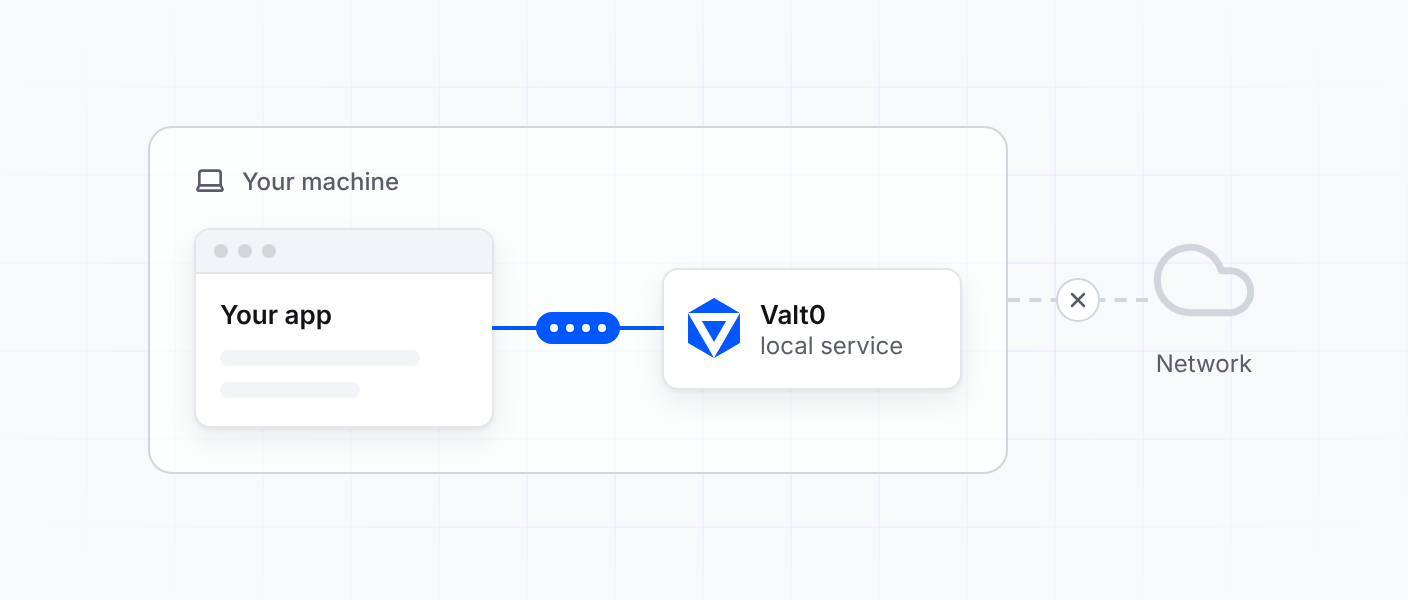
Valt0 runs as a service on the same machine as your application, so a secret never crosses a network to reach it. That keeps reading a secret fast, and keeps it off the wire.
5. Simple, secure deployment
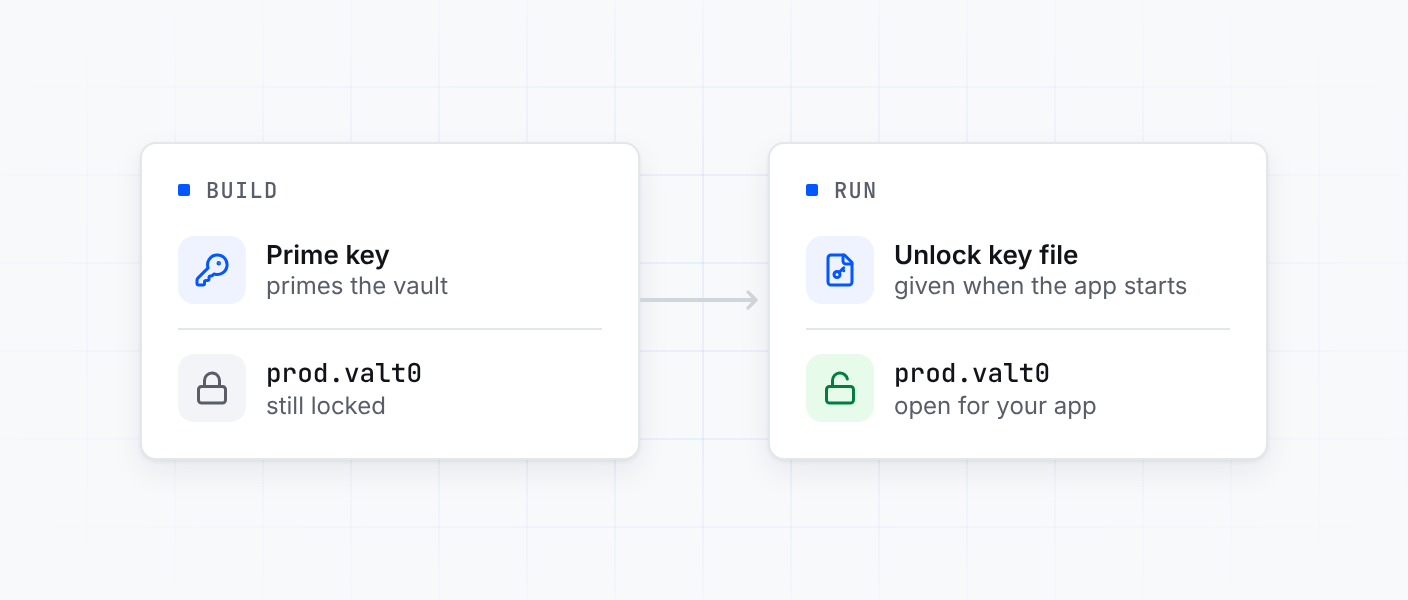
Deploying Valt0 is just as simple, whether your app runs on a standalone server or in a container. Valt0 is installed where your app runs and the vault ships with it.
The vault is opened in two steps with two separate keys, one at build time and one at run time, and neither key opens the vault on its own. Deployment walks through it.
6. Built for containers
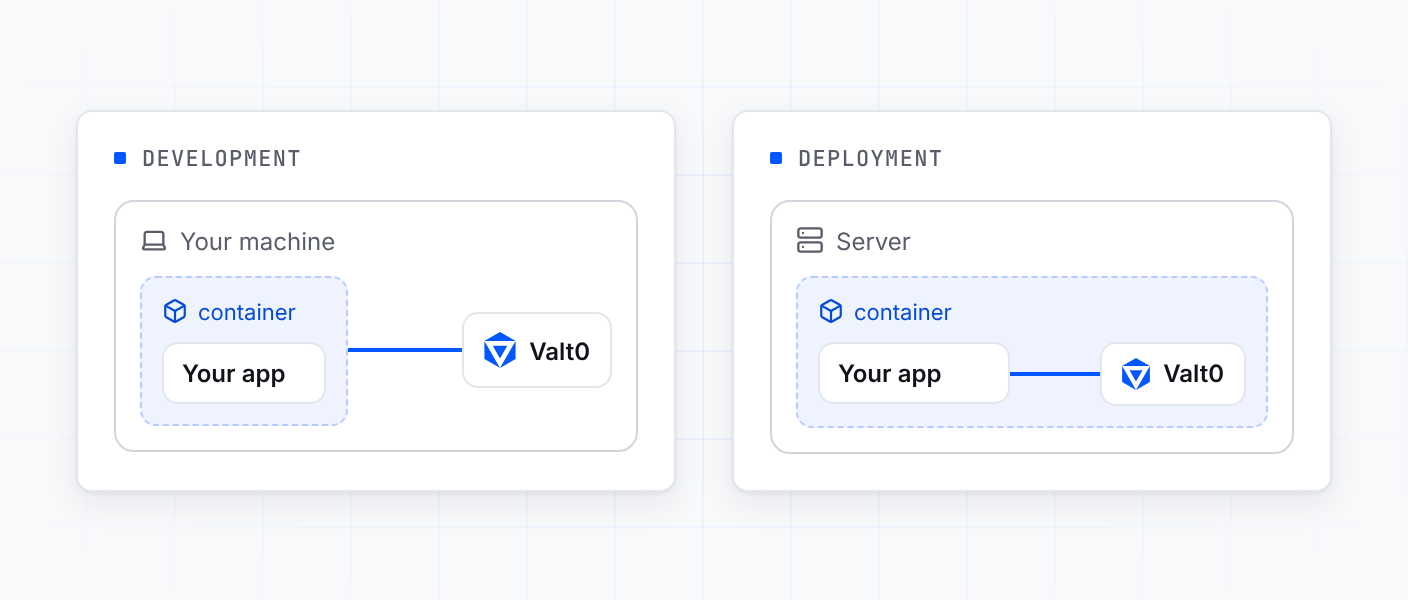
Containers are used for development and for deployment, so Valt0 supports both.
While you develop, an app in a container uses the Valt0 service on your machine. When you deploy, Valt0 runs inside the container itself. The details are in From a container.
7. A security chip on every developer machine
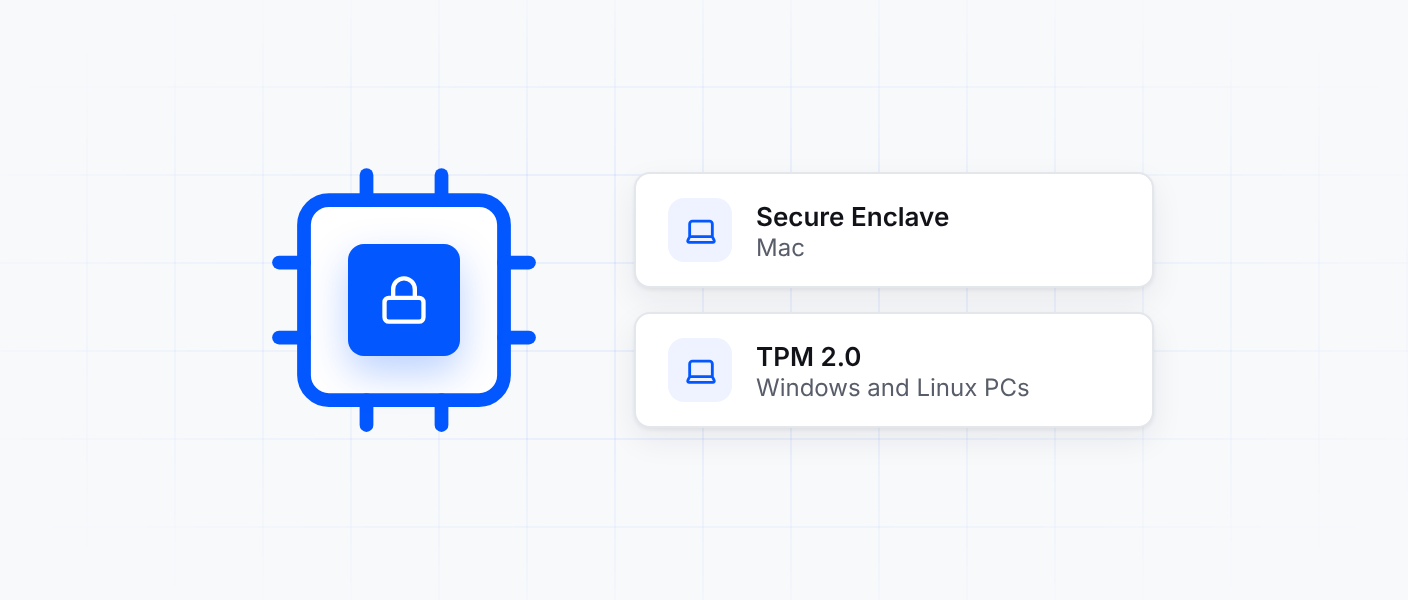
On your own computer, Valt0 needs a security chip: a Secure Enclave on a Mac, or a TPM 2.0 on a Windows or Linux PC. When you import a vault on your machine, the chip ties it to that machine.
Most recent computers have one: every Mac with Apple silicon has a Secure Enclave, and every PC that can run Windows 11 has a TPM 2.0. The servers and containers you deploy Valt0 to do not need one.
To try all seven on a project of your own, Getting started takes you from an empty folder to a stored secret.